

After your order has been shipped, you will receive a shipping notification email containing your tracking number and a tracking link. You can use either one to check the latest delivery status on the carrier's website.
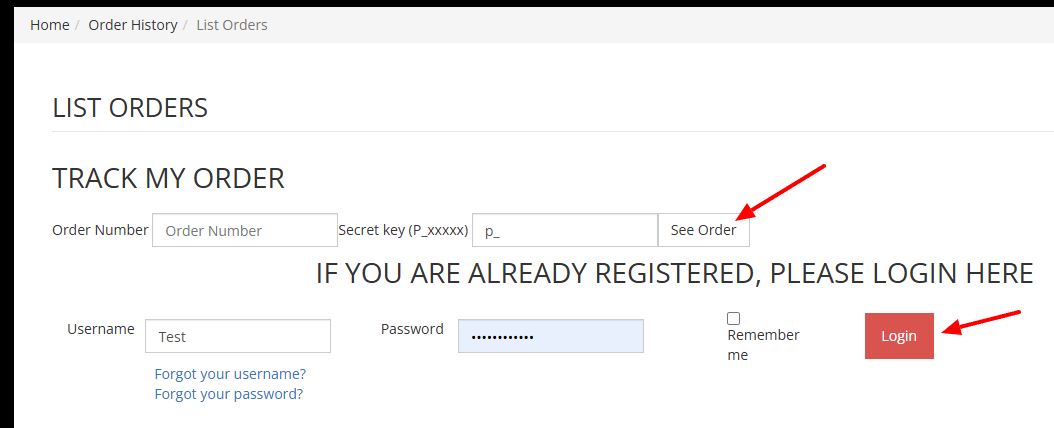
You can also view your tracking information from the Order History page:
- Go to Order History.
- Log in to your account, or enter your order number and secret key.
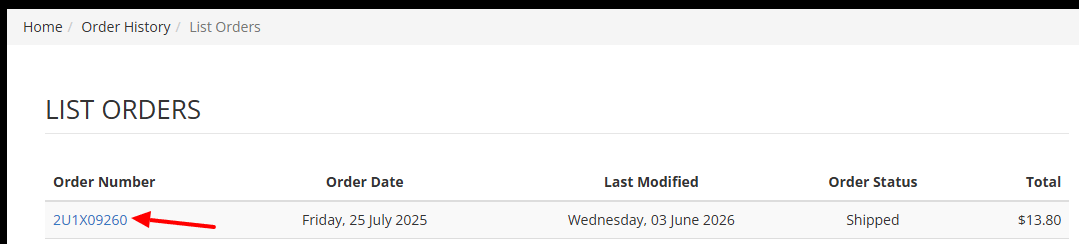
- Select the order you would like to track.
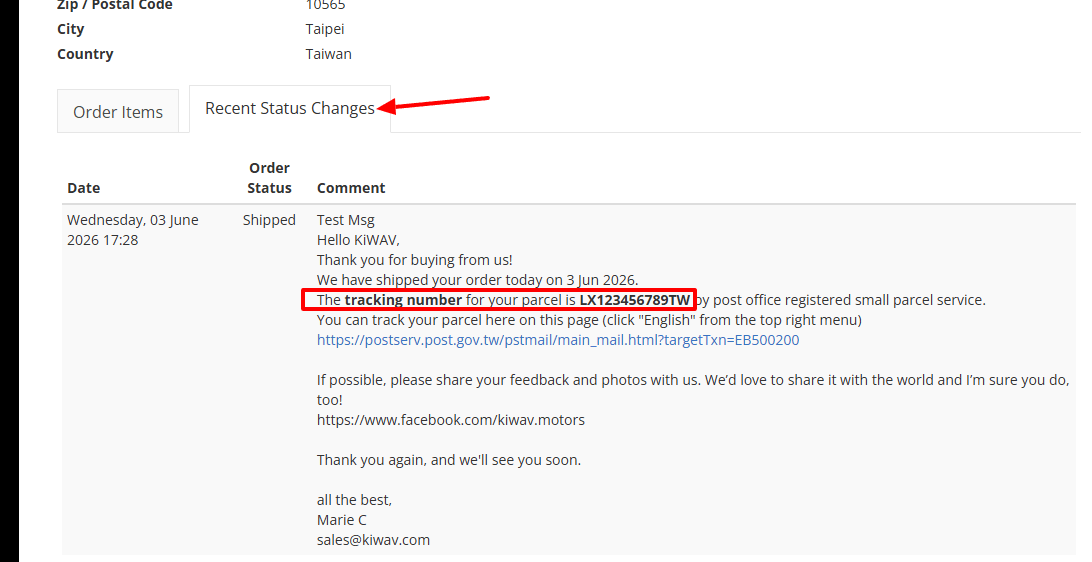
- Once your order has been dispatched, the tracking number and shipping information will appear in the "Recent Status Changes" tab.
If you have not received a shipping confirmation email, please check your spam or junk folder first. If you still cannot find it, contact our customer support team with your order number, and we will be happy to assist you.